

Part 12. Analyzing peaks in OpenVoltam
OpenVoltam automatically estimates peak location, baseline, and endpoints, with the user verifying the analysis.
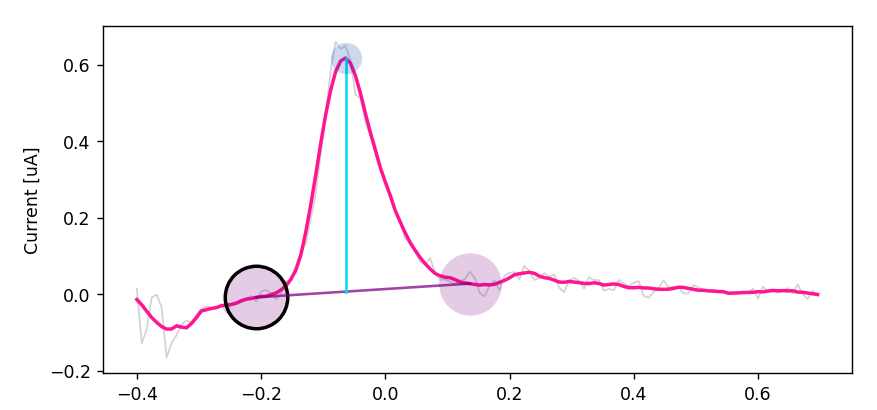
For arsenic measurements, immediate analysis is recommended. The software automatically estimates peak location, baseline, and endpoints, but the user must verify that the analysis is reasonable.
12.1 Opening the analysis window
Three options are available:
- After measurement: click Analyze Results.
- From the sample environment: left-click run -> Analysis -> Analyze.
- Right-click run -> Analyze.
12.2 Peak selection
For the electrochemical setup of the authors, arsenic peaks typically occur between -0.2 V and +0.1 V. The software automatically estimates the peak and baseline. Inconsistent baseline selection is one of the largest contributors to user variability, so the baseline should be checked carefully.
- Verify the automatically selected peak region.
- Drag the black circle to adjust the baseline start point if needed.
- Press z to move to the endpoint if applicable in the current interface.
- Verify the baseline visually.
- Click Accept & Next.
- Repeat for all repetitions.
- Click Save All.
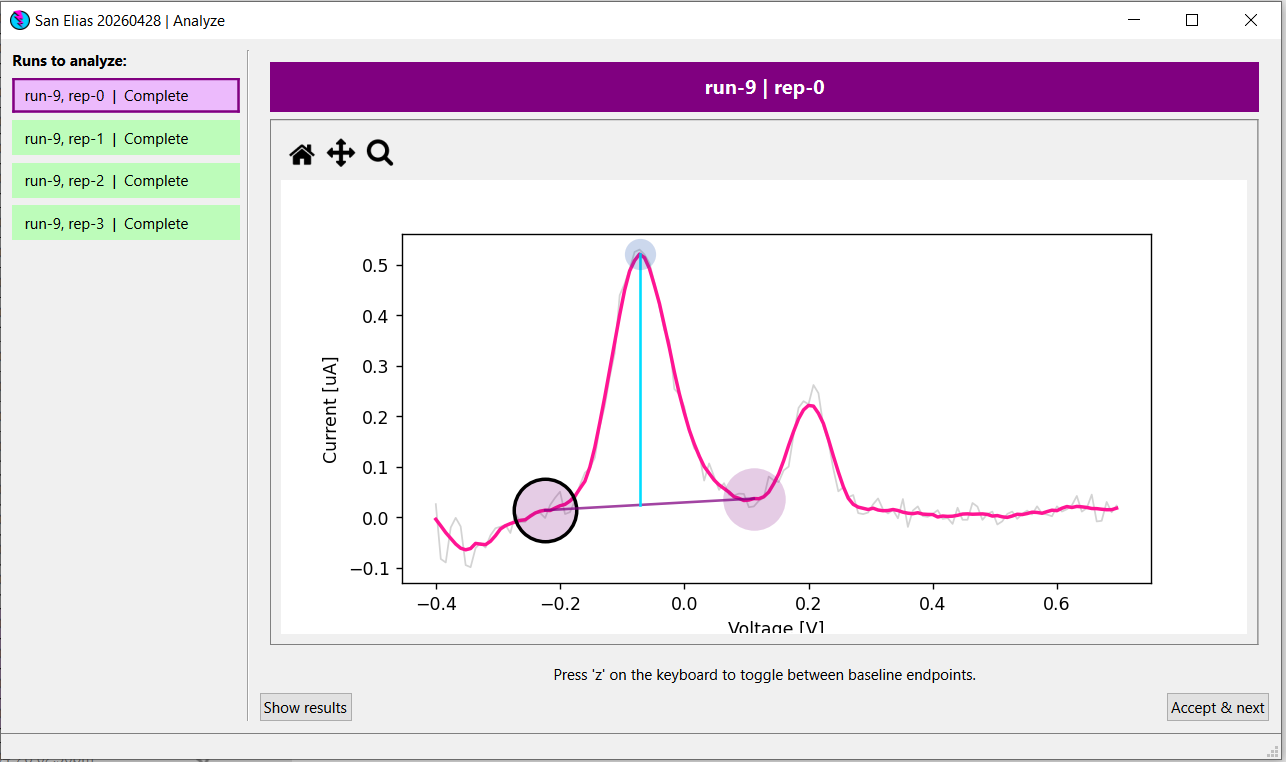
Figure 13. Analyze Results window showing peak region, baseline markers, and Accept & Next button.
12.3 Good peak analysis rules
- Include the full arsenic peak.
- Avoid neighbouring noise features.
- Maintain consistency between repetitions.
- Do not force a peak if the signal is not clear.