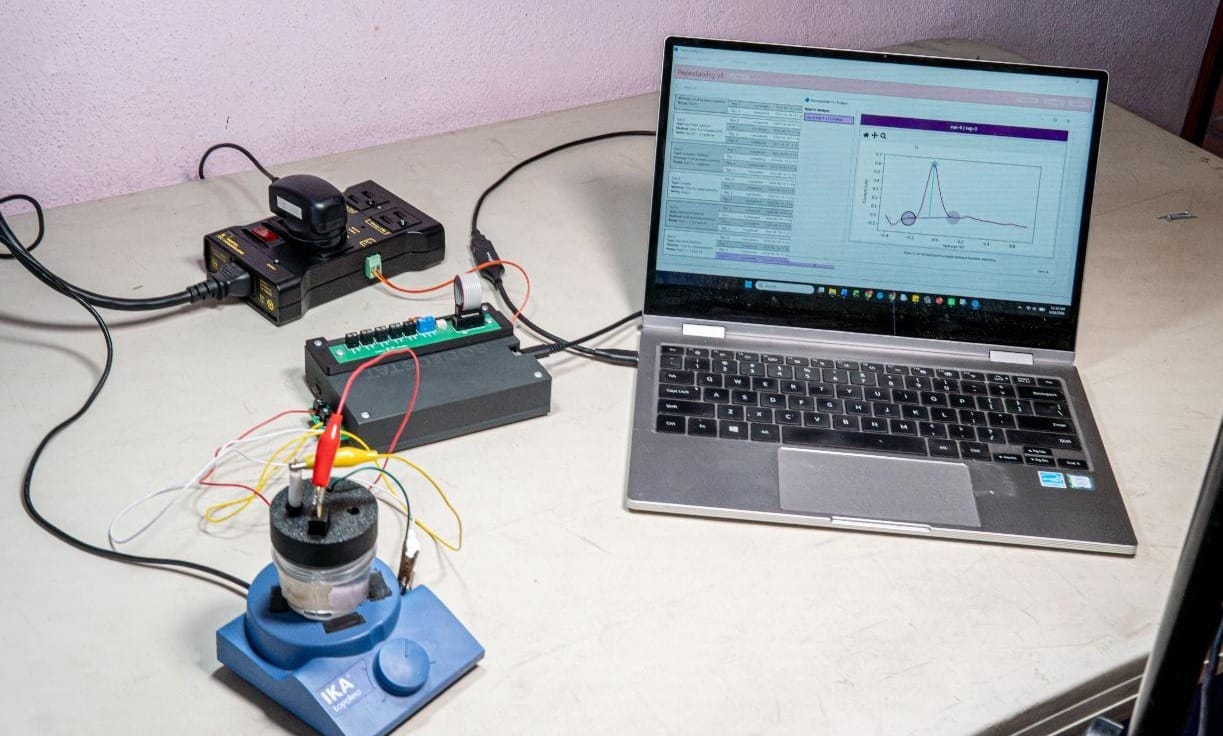
Part 6: Setting up the Rodeostat and electrodes
How to assemble and connect hardware required for arsenic measurement using the Rodeostat potentiostat system.
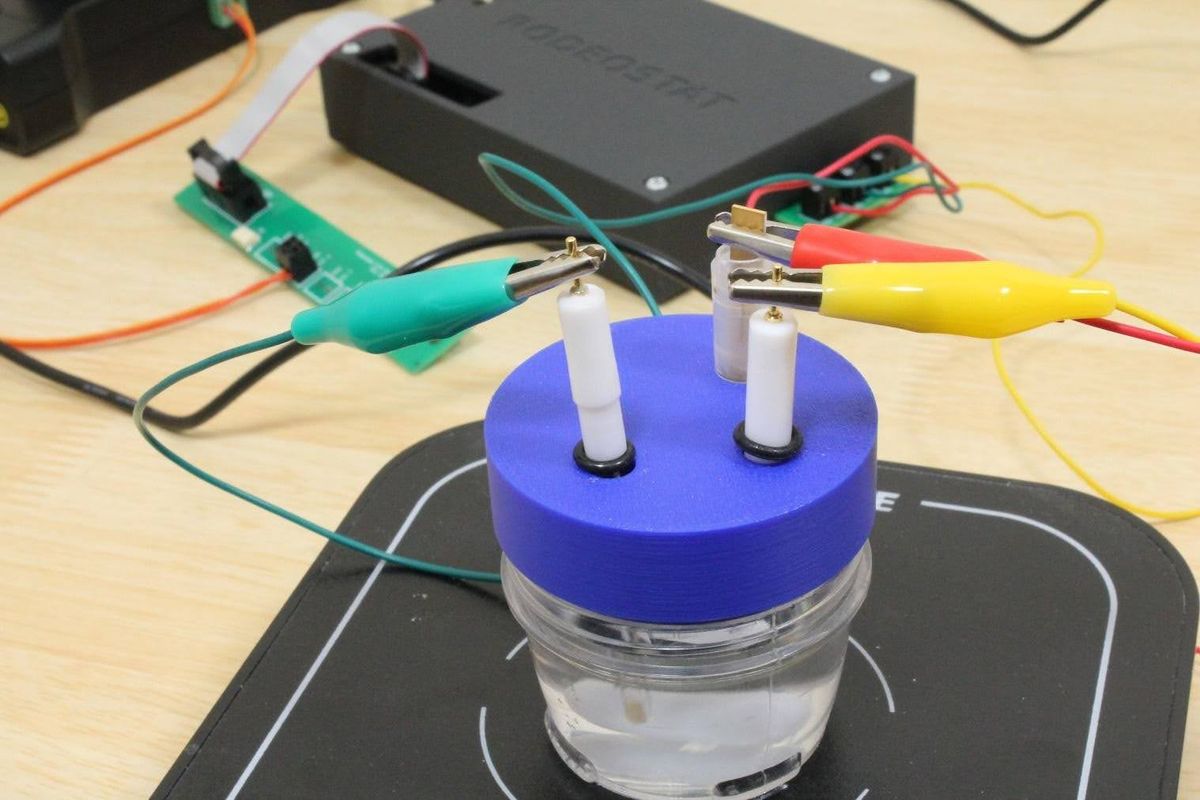
This section describes how to assemble and connect all hardware components required for arsenic measurement using the Rodeostat potentiostat system. Once you have completed the hardware assembly, it should be usable for routine analysis in the future.
6.1 Unboxing the Rodeostat
Depending on the package, your Rodeostat order may include the Rodeostat, electrochemical cables, a dummy cell, a USB cable, and a screwdriver. The USB cable connects the Rodeostat to the computer. The electrochemical cables connect the Rodeostat to the working, reference, and counter electrodes.
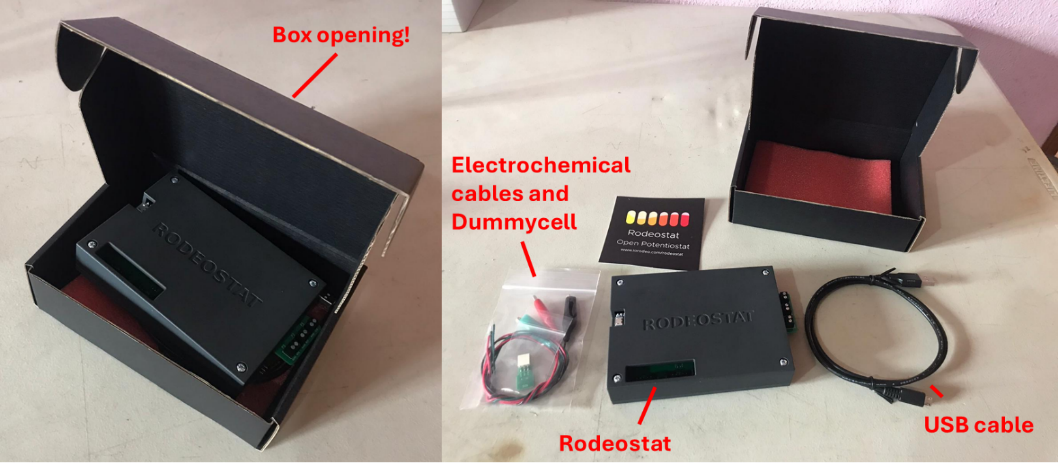
Figure 3. Rodeostat package contents: Rodeostat, USB cable, electrode cables, dummy cell, screwdriver.
6.2 Connecting the cables
The electrode terminals are labelled WRK, REF, and CTR. Connect the working electrode cable to WRK, the reference electrode cable to REF, and the counter electrode cable to CTR. If using colored cables, keep the same color convention every time. For example, red for working electrode, green for reference electrode, and white for counter electrode.
The exact cable color does not matter electrically, but consistent use prevents mistakes. Incorrect electrode connections are a common source of failed measurements.
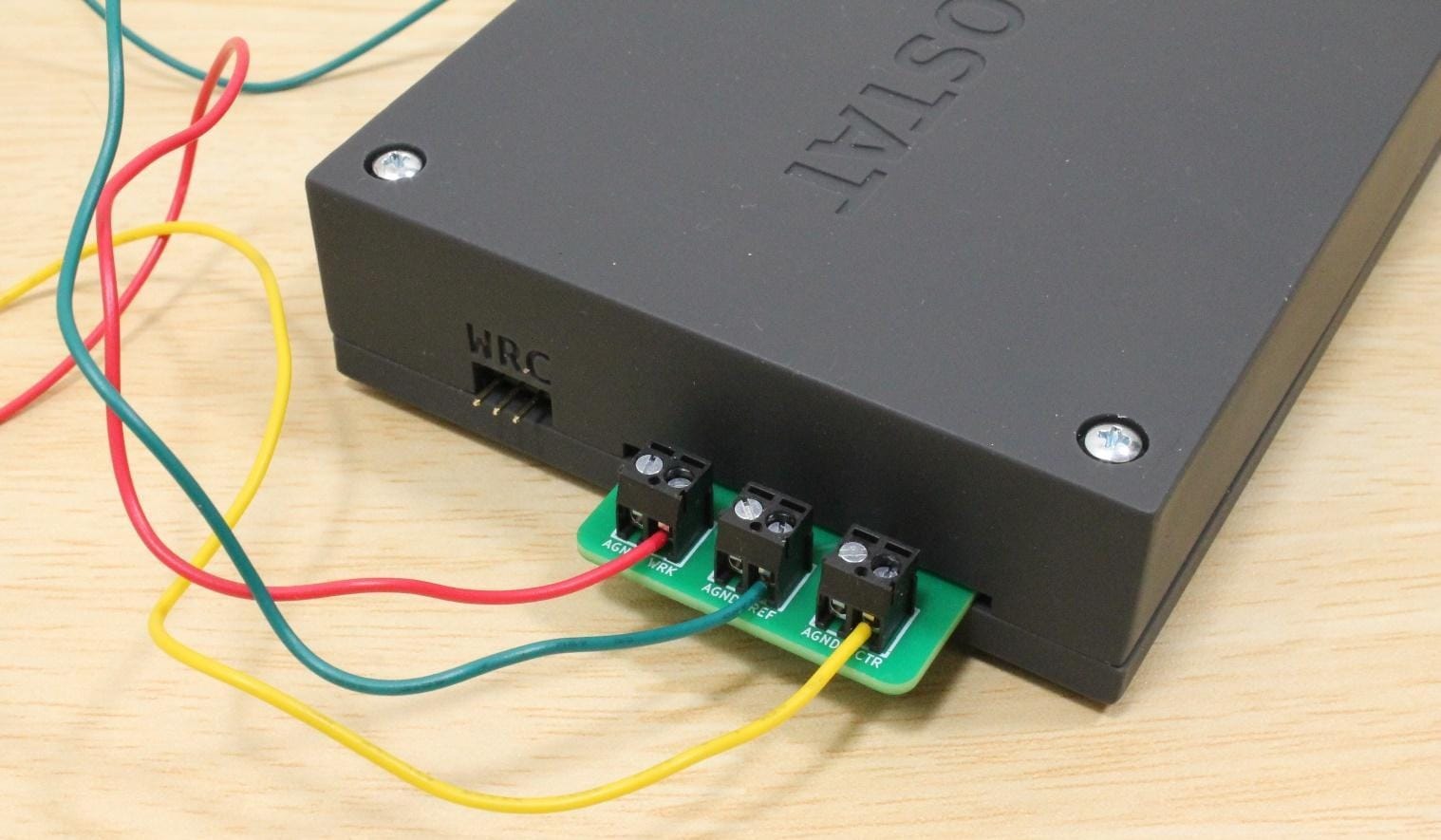
Figure 4. Close-up of Rodeostat terminals showing WRK, REF, and CTR cable connections.
6.3 Setting up the electrochemical cell
The electrochemical cell should hold the working, reference, and counter electrodes securely. If the lid has labelled holes, place the working electrode at W, the reference electrode at R, and the counter electrode at C. Ensure that all electrodes make contact with the solution without touching the bottom, each other, or the stir bar.
- Make sure at least 1 cm of each electrode is submerged.
- Keep the gold microwire away from the stir bar.
- Use rubber rings, tape, or a stable holder to adjust electrode height.
- Make sure cables do not pull the electrodes out of position.
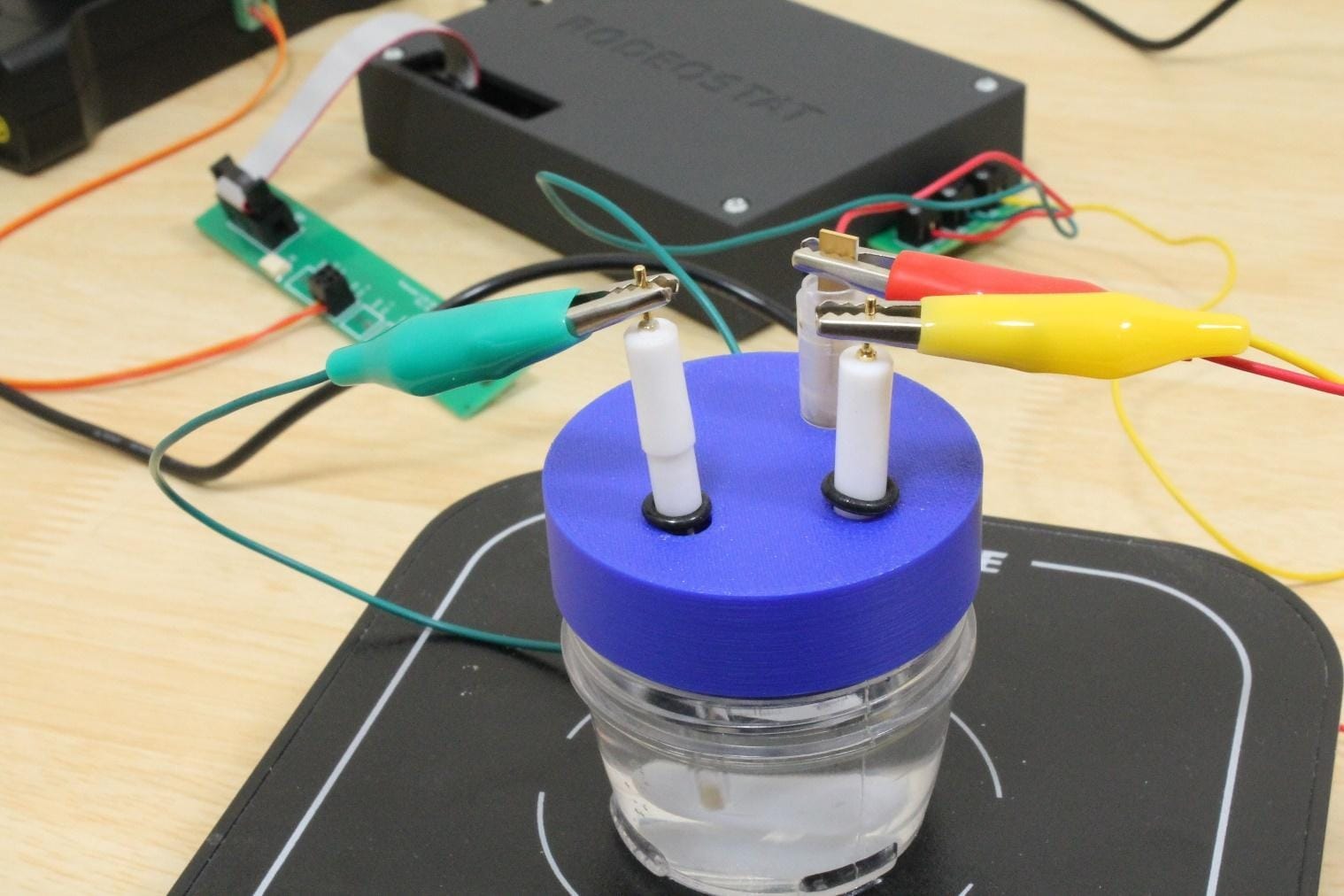
Figure 5. Correct electrode placement in the electrochemical cell.
6.4 Working, reference, and counter electrodes
The working electrode is a gold microwire. This is where arsenic gets deposited during electrochemical analysis and from which it is stripped to obtain an oxidizing peak current used to calculate arsenic concentration.
The reference electrode is a commercially available Ag/AgCl electrode. It provides a stable, known voltage that the potentiostat uses as a reference point. If the filling solution is low, air bubbles are present, or salt crystals have formed, follow the reference electrode care instructions before measurement.
The counter electrode completes the circuit with the working electrode. Iridium or platinum is recommended because these materials are conductive, chemically inert, and resistant to corrosion.
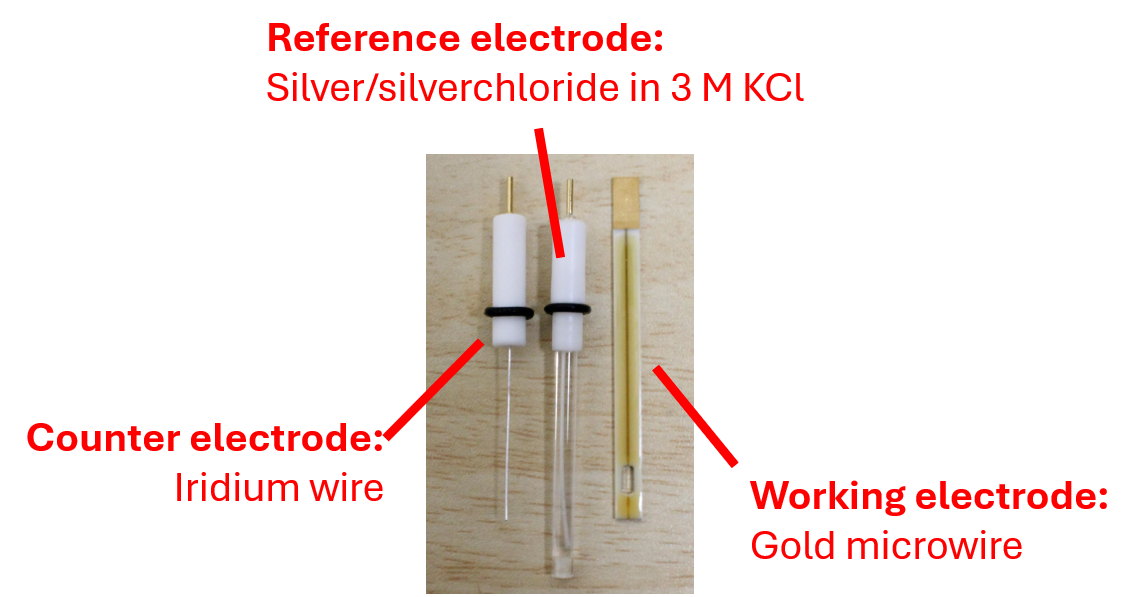
Figure 6. From left to right: a platinum wire, a Ag/AgCl electrode, a gold microwire electrode
6.5 Setting up the relay
If you are not using a relay, the stirrer can still be controlled manually. However, automatic relay control is strongly recommended because it improves consistency and reduces operator workload.
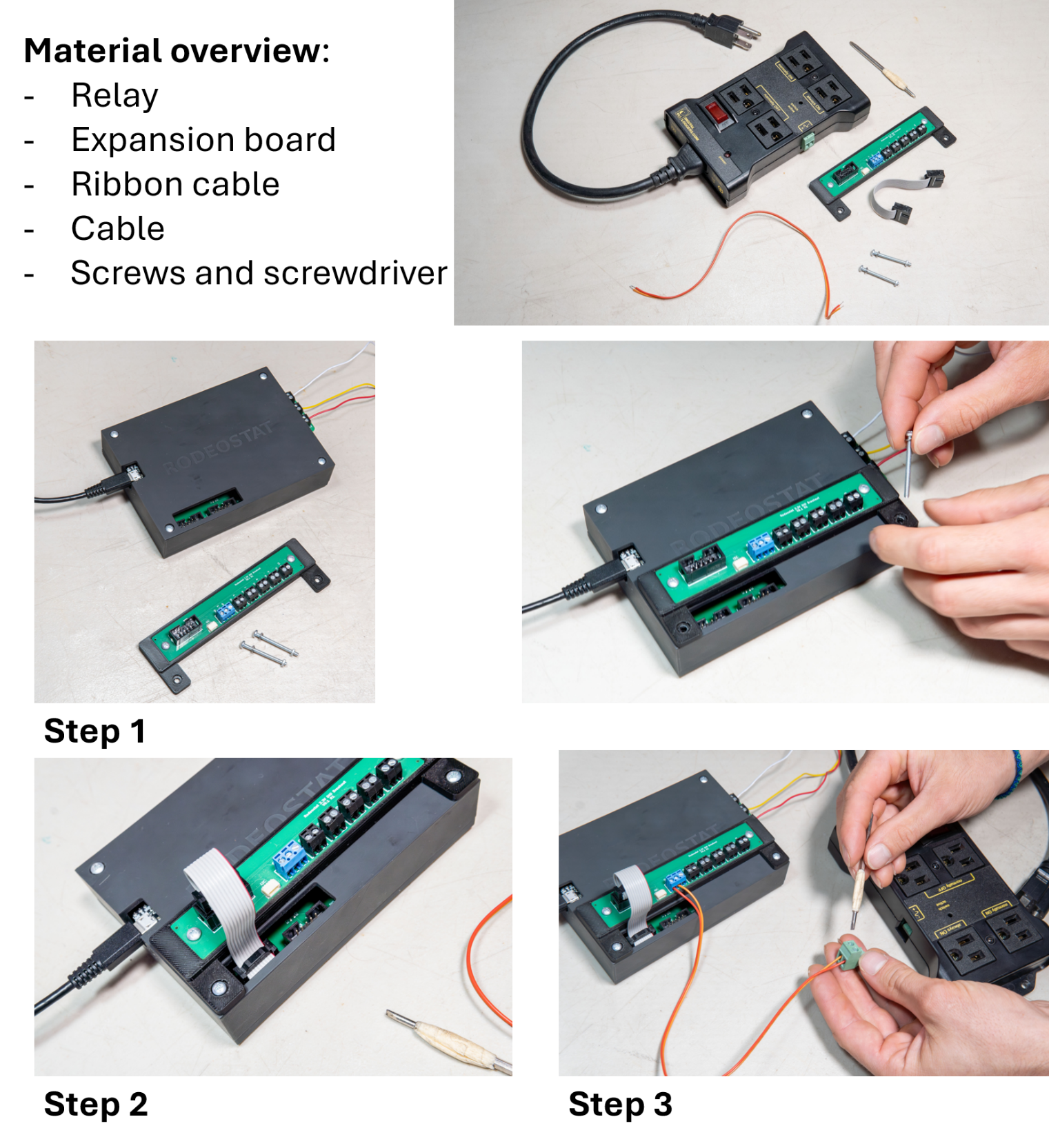
Figure X: Installing the relay expansion board, cables and connecting to the rodeostat and stirrer
Step 1 – Install the relay expansion board
- Attach the supplied relay expansion board to the top of the Rodeostat using the mounting screws provided.
- Ensure that the board is firmly attached and does not move during operation.
Step 2 – Connect the Ribbon Cable
- Locate the DIO (Digital Input/Output) header on the Rodeostat.
- Connect the wide ribbon cable between the DIO header on the Rodeostat and the matching connector on the relay expansion board
- Verify that the cable is fully inserted and correctly oriented before proceeding.
Step 3 – Connect the Relay Control Wires
- Connect the two control wires from the relay to the relay expansion board.
- Positive (+) goes to the DIO3 pin, negative (-) goes to GND (next to DIO3).
Step 4 – Connect the magnetic stirrer
- Insert the power plug of the magnetic stirrer into the relay outlet labeled: "Normally Off"
This ensures that the stirrer only receives power when activated by OpenVoltam. Do not connect the stirrer to an outlet labeled "Always On", as this would prevent automatic control.
Step 5 – Power the relay
- Connect the relay to a mains power outlet.
- Switch the relay on using the power switch located on the relay housing.
- Verify that the relay power indicator illuminates.